Tags: #tech, #hardware, #keyboard
Backlinks: Keyboard, Happy Hacking Keyboard
Created: 2025-06-07 02:33
Last edited: 2026-07-15 04:41
HHKB Studio
bought during in 2024 during Japan June 2024–
PROBLEM: have not found a way yet to achieve Thinkpad MMB behavior—i.e. make the middle mouse button work simultaneously for
- scrolling (MMB hold + trackpoint), and
- mouse wheel click (=pasting/opening links in new tabs/closing tabs)
manual: https://happyhackingkb.com/manual/studio/ug-us/en/ug/topic/connect_bluetooth.html
hotkeys
- switch to Bluetooth pairing mode: Fn + Q (long hold)
- turn off Bluetooth pairing mode: Fn + X
- switch between Bluetooth connections Fn + Ctrl + 1/2/3/4
- switch to USB mode: Fn + Ctrl + 0
- switch between profiles: Fn + C → 1/2/3/4
Key remapping
With HHKB Studio Keymap Tool
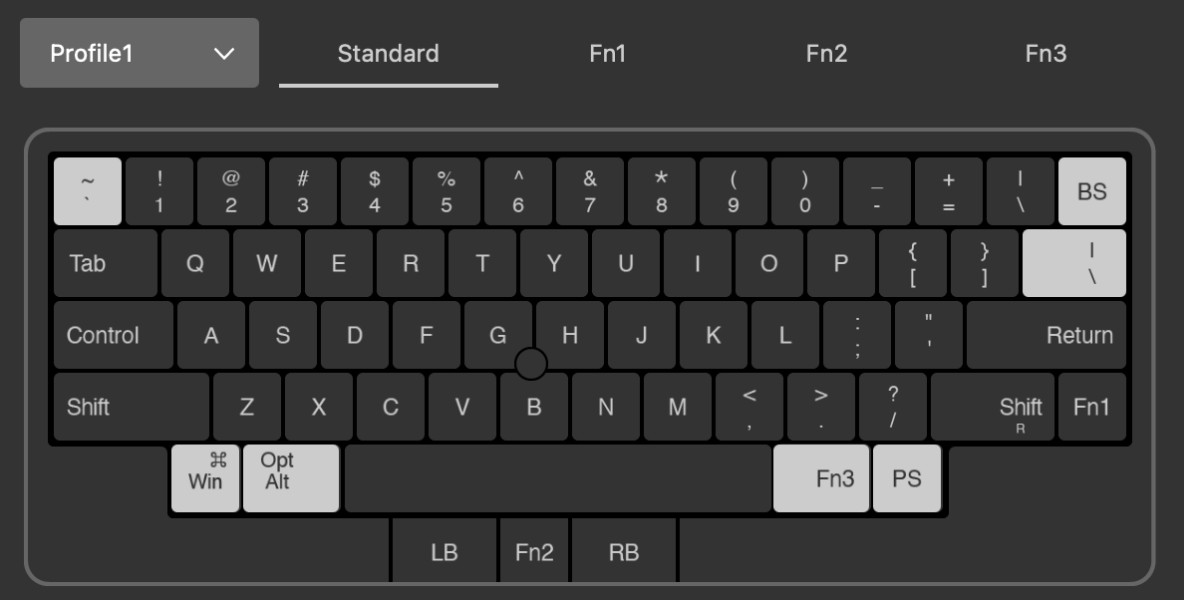
( ↑ on profile 2, used for macOS, w/o the win/alt switch)
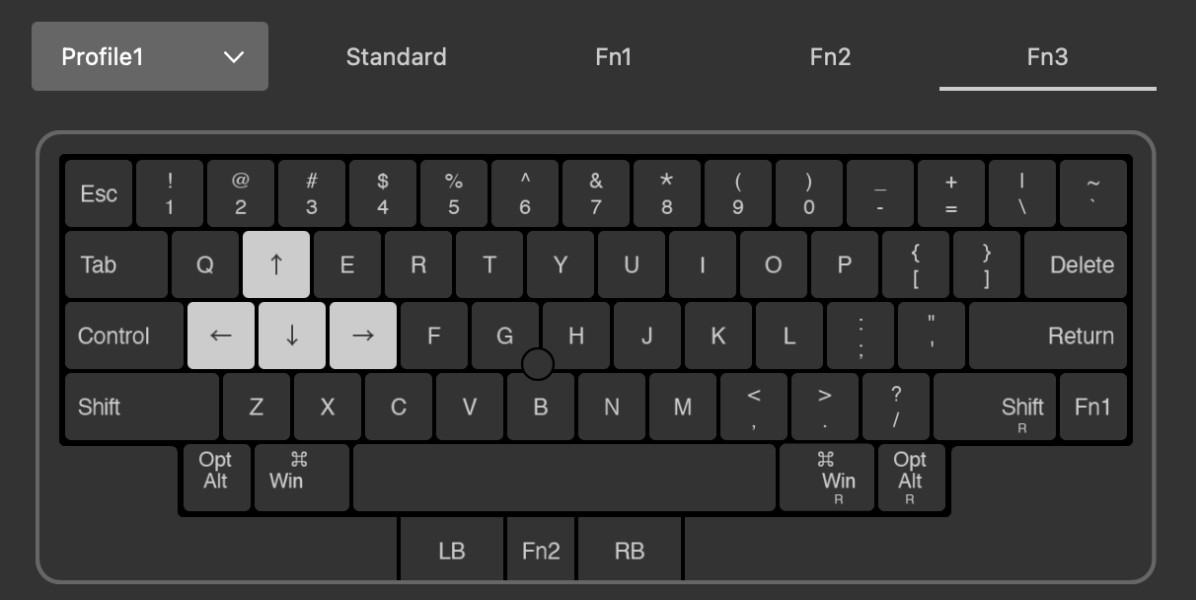
Without HHKB Studio Keymap Tool
on Linux
- get device ID
$ xinput -list | grep HHKB
- dump keyboard layout
xkbcomp -i <ID> $DISPLAY hhkb.xkb
- edit as shown below
-     key  <ESC> { [ Escape ] };
+     key  <ESC> { [ grave ] };
-     key <TLDE> { [ grave, asciitilde ] };
+     key <TLDE> { [ BackSpace ] };
-     key <LALT> { [ Alt_L, Meta_L ] };
+     key <LALT> { [ Super_L ] };
-     key <DELE> { [ Delete ] };
+     key <DELE> { [ backslash ] };
-     key <LWIN> { [ Super_L ] };
+     key <LWIN> { [ Alt_L ] };
-     modifier_map Mod1 { <LALT> };
+     modifier_map Mod1 { <LWIN> };
-     modifier_map Mod4 { <LWIN> };
+     modifier_map Mod4 { <LALT> };
// FIXME: Shift + ` does not result in ~- apply
xkbcomp -i <ID> hhkb.xkb $DISPLAY
on MacOS
- simple modifications using Karabiner Elements
- delete_forward → backslash (\)
- escape → grave_accent_and_tilde (`)
- grave_accent_and_tilde (`) → delete_or_backspace